Master Watercolor Effects in Minutes with Pro Watercolor Photoshop Brushes
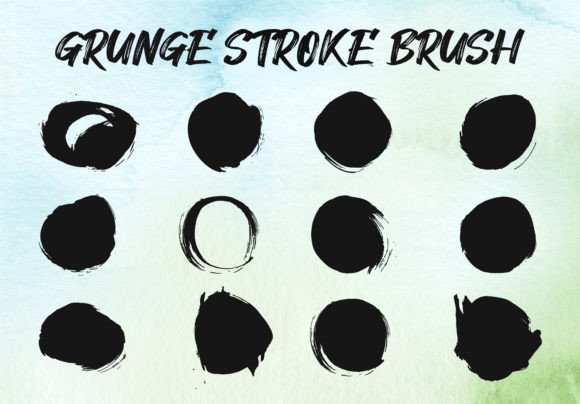
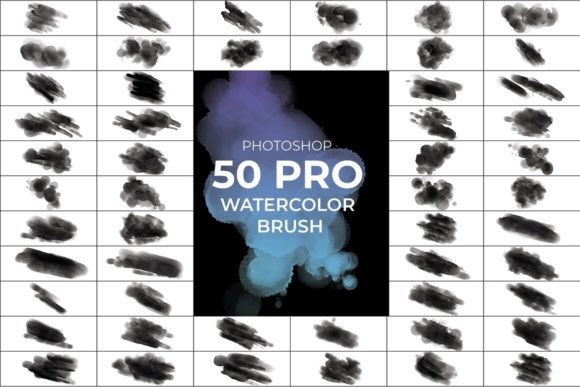
There’s a certain magic to watercolor—the way pigments bleed, blend, and create organic textures that digital tools often struggle to replicate authentically. For designers, marketers, and creatives who crave that hand-painted aesthetic without spending hours on manual techniques, the Pro Watercolor Photoshop Brush set offers a practical solution. This collection of 50 high-definition brushes is designed to inject natural, fluid watercolor effects into your projects quickly and intuitively.
What Makes These Brushes Stand Out?
Unlike generic brush sets, the Pro Watercolor Photoshop Brush pack includes an Auto Texture Edit feature that helps maintain a natural, organic look even when you’re working fast. Each brush is crafted at 1500x1500 pixels and 300 DPI, ensuring crisp details whether you’re working on digital screens or print materials. The result is a versatile tool that adapts to your color choices and brush dynamics, giving you consistent, professional-quality watercolor effects without the learning curve.
These brushes are more than just tools—they’re a bridge between traditional artistry and modern design efficiency. Whether you’re creating a subtle background texture or a bold artistic statement, the set provides the flexibility to achieve both artificial and natural looks depending on your project needs. The freehand customizability means you can adjust pressure, opacity, and flow to mimic real watercolor behavior, making each stroke feel unique.
Practical Applications Across Creative Projects
The true value of the Pro Watercolor Photoshop Brush set lies in its adaptability. Here’s how different professionals can leverage these assets:
Branding and Logo Design
Watercolor textures add warmth and personality to brand identities. Use these brushes to create distinctive logo elements, textured backgrounds for business cards, or artistic headers for websites. The natural imperfections of watercolor can make a brand feel more approachable and human, which is particularly effective for artisan businesses, wellness brands, or creative studios.
Editorial and Publishing Design
Magazines, book covers, and blogs benefit from watercolor accents that break up digital sterility. Apply these brushes to chapter headings, pull quotes, or section dividers to add visual interest. In editorial layouts, watercolor elements can guide the reader’s eye and create a cohesive artistic theme throughout the publication.
Marketing and Social Media Graphics
Social media feeds are crowded, and watercolor effects can help your content stand out. Use the brushes to create eye-catching Instagram stories, Pinterest pins, or Facebook ad visuals. The organic feel of watercolor often resonates well with audiences seeking authenticity, making it ideal for campaigns promoting handmade goods, events, or lifestyle products.
Packaging and Product Design
For physical products, watercolor textures can elevate packaging design. Whether you’re creating labels for artisanal foods, cosmetics, or stationery, these brushes allow you to add subtle texture or bold artistic elements that communicate quality and care. The high-resolution output ensures designs look sharp in print.
Digital and Web Design
Watercolor elements aren’t limited to print. Use them in website backgrounds, hero images, or UI accents to create a memorable user experience. When paired with clean sans-serif fonts, watercolor textures can balance modernity with warmth, making sites feel both professional and inviting.
Design Considerations and Best Practices
While the Pro Watercolor Photoshop Brush set is versatile, thoughtful application ensures the best results. Here are some practical tips:
- Font Pairing: Watercolor effects work well with both serif and sans-serif typefaces. For a classic look, pair watercolor elements with elegant serif fonts. For modern contrast, combine them with clean sans-serif or minimalist script fonts. The key is to let the watercolor shine without overwhelming the typography.
- Color Selection: These brushes adapt to any color palette, but consider how watercolor pigments behave in reality. Soft pastels create a gentle, romantic feel, while bold hues make a vibrant statement. Test color combinations on a separate layer to ensure they blend harmoniously.
- Layer Management: Use adjustment layers and blending modes to integrate watercolor elements seamlessly. Multiply or Overlay modes can help textures interact with underlying colors naturally.
- Readability: When using watercolor as a background for text, ensure sufficient contrast. Light watercolor washes work well under dark text, while darker textures may require light-colored typefaces. Always test at the final size to maintain legibility.
Remember, watercolor is inherently organic—embrace slight imperfections. Overusing effects or applying them uniformly can make designs feel artificial. Instead, vary brush strokes, opacity, and scale to mimic real watercolor behavior.
Choosing and Evaluating Your Design Assets
When selecting design assets like the Pro Watercolor Photoshop Brush set, consider your project’s scope and audience. Ask yourself:
- Does the style align with my brand’s personality? Watercolor evokes creativity, warmth, and artistry—ideal for brands that value authenticity.
- How will these brushes integrate with my existing design assets? Ensure compatibility with your software and workflow.
- What licensing terms apply? For commercial projects, verify that the brushes come with appropriate usage rights.
- Can I test the brushes before committing? Many designers appreciate the ability to experiment with a few strokes to assess quality and fit.
For entrepreneurs and small business owners, investing in premium design assets like these brushes can save time and elevate brand perception. Rather than hiring a specialist for every visual need, having tools that empower you to create professional-looking designs independently is a practical advantage.
Final Thoughts on Integrating Watercolor into Your Workflow
The Pro Watercolor Photoshop Brush set isn’t just about adding pretty textures—it’s about expanding your creative toolkit. Whether you’re designing a wedding invitation, crafting social media content, or developing a brand identity, watercolor effects can add depth and emotion to your work. By understanding the strengths and applications of these brushes, you can make informed decisions that enhance both the aesthetic and effectiveness of your projects.
As with any design tool, practice and experimentation will help you discover the full potential. Try combining watercolor elements with other design assets, explore different color palettes, and observe how textures interact with various typographic styles. Over time, you’ll develop an intuition for when and how to use watercolor to achieve your desired impact—making your designs not only beautiful but strategically resonant.